
 Go to Blog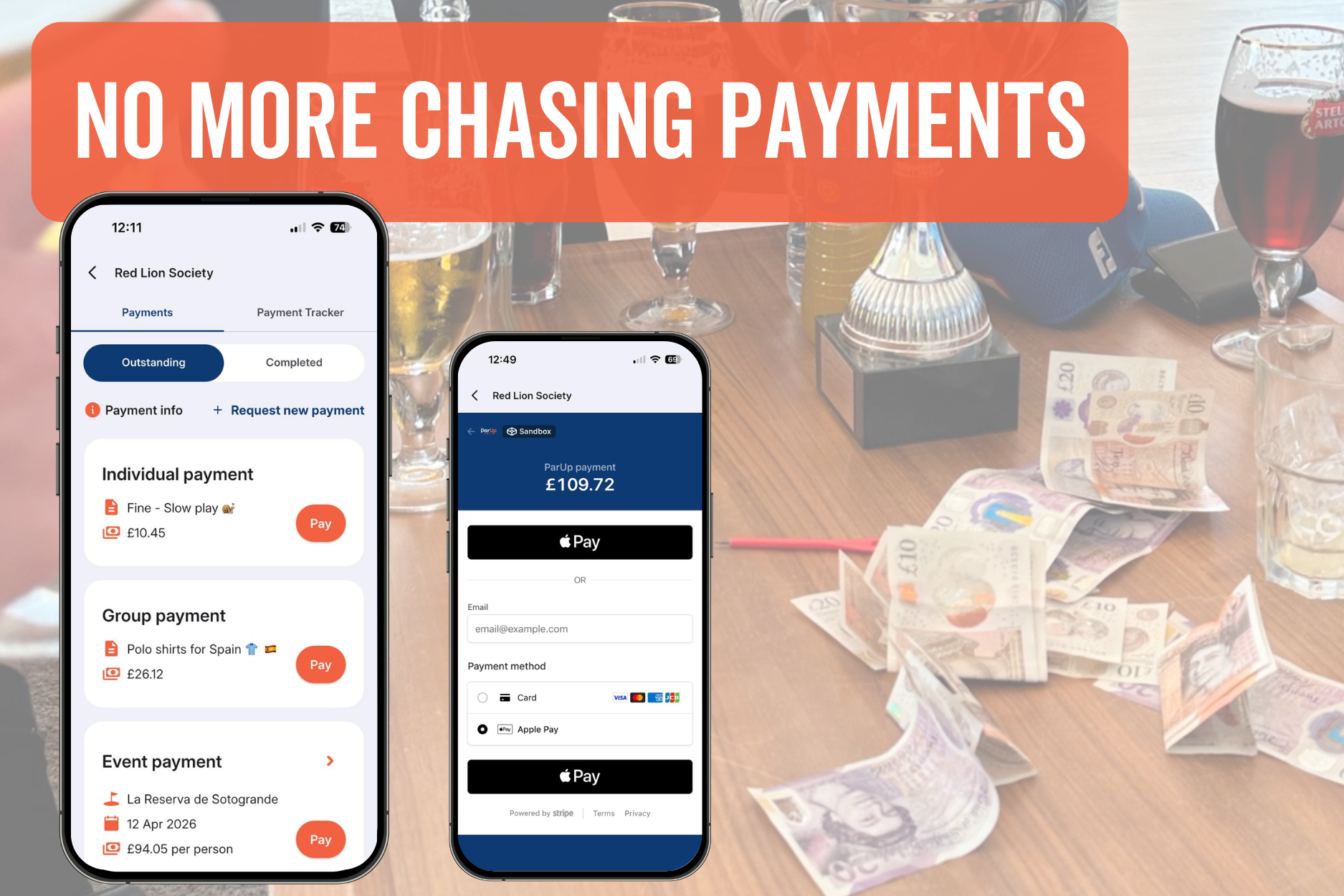
Pay up with ParUp!
Getting fed up of hearing “sorry, I don’t carry cash” before or after your round?
From green fees to a round of drinks, to money in the prize pool for nearest the pin and longest drive, there’s always one who “forgets”.
Not anymore. With ParUp’s new group payments feature (powered by Stripe), everyone settles up quickly, easily and (finally) on time. No more chasing payments and no more excuses.
Group organisers can now collect group payments quickly and securely. Send payment requests linked to upcoming group events (e.g. green fees, food, buggies), to the entire group for non-event related payments (e.g. annual fees, annual trip, group polo shirts) or directly to individual players (e.g. fines, forfeits, unpaid bar bills, side game losses).
Track who’s paid and who hasn’t with the payment tracker. In-app payments update automatically and offline payments can be marked manually.
It’s quick and easy for group organisers to set up, taking just a few minutes. Completing the Stripe-powered onboarding ensures compliance with payment regulations and enables secure payments for your group.
Once payments are activated, it’s effortless for members to pay. Payments can be completed in just a few taps, taking seconds. What are you waiting for?!
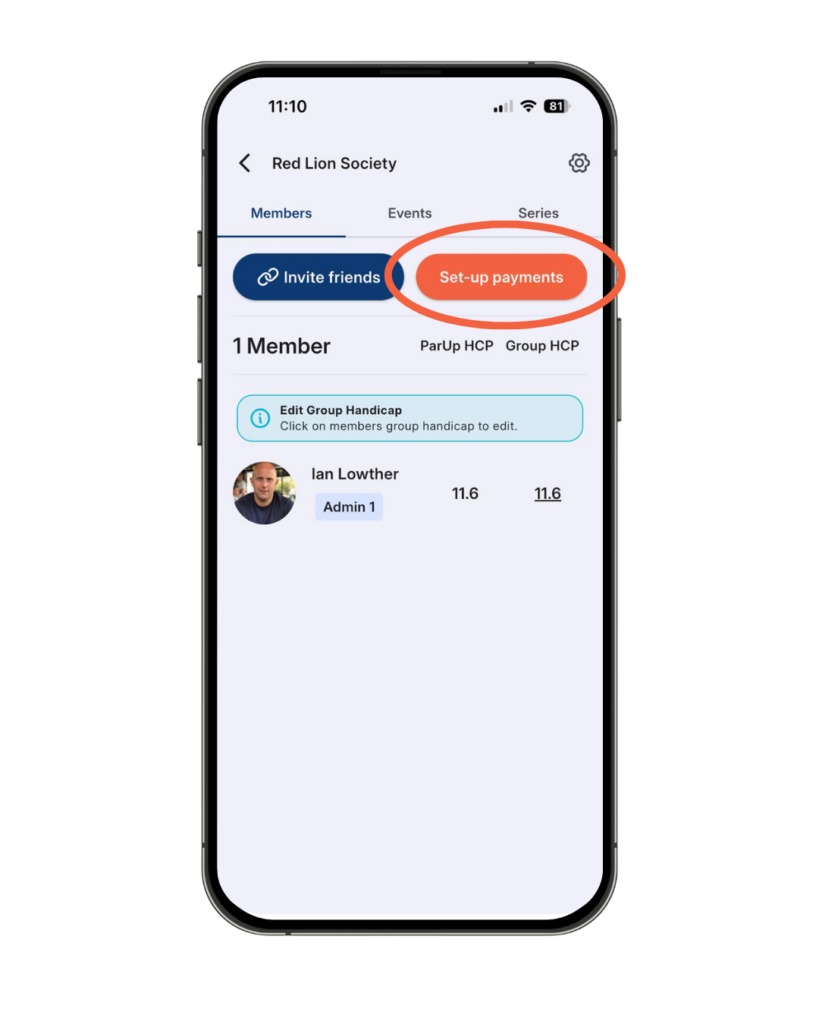
Setting up payments:
- When on the ‘Members’ tab in your group, tap the orange ‘Set-up payments‘ button.
- You’ll then be guided through a series of Stripe-powered onboarding screens.
- Complete the required fields at each step to finish the onboarding process.
- Please note – you are sharing all of this information directly with Stripe, not ParUp Golf. Stripe are a globally trusted payments platform, used by millions of businesses to securely process transactions.
Requesting new payments:
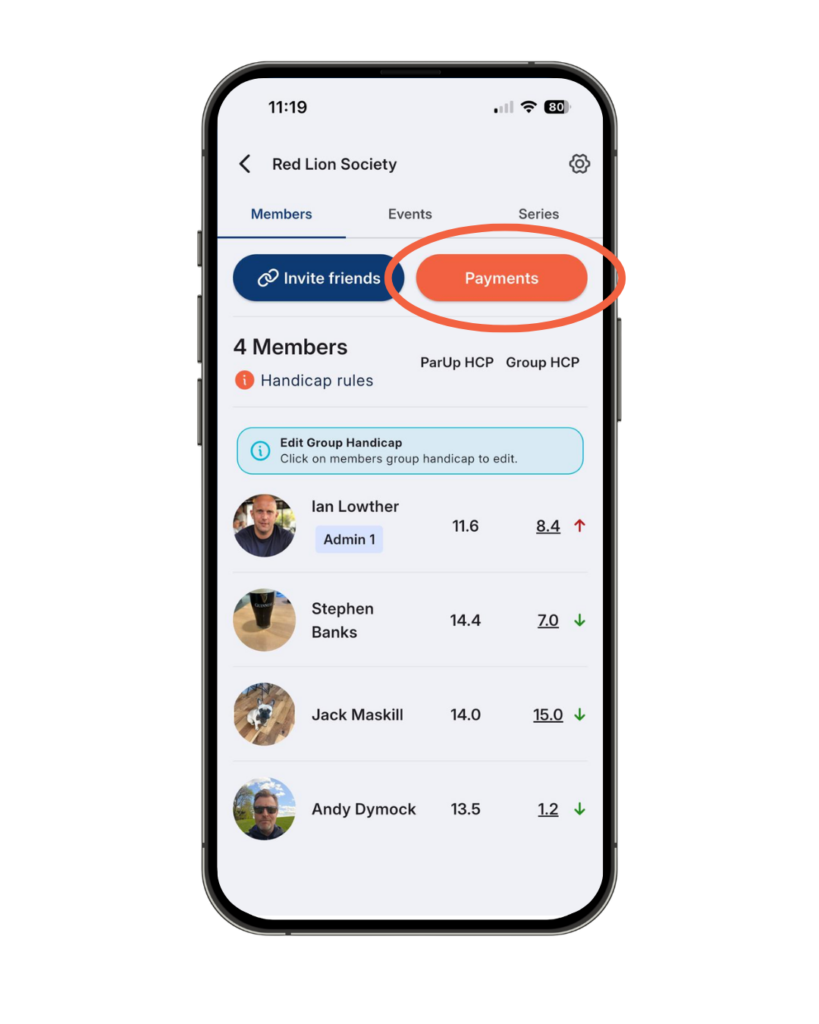
- When on the ‘Members’ tab in your group, tap the orange ‘Payments‘ button.
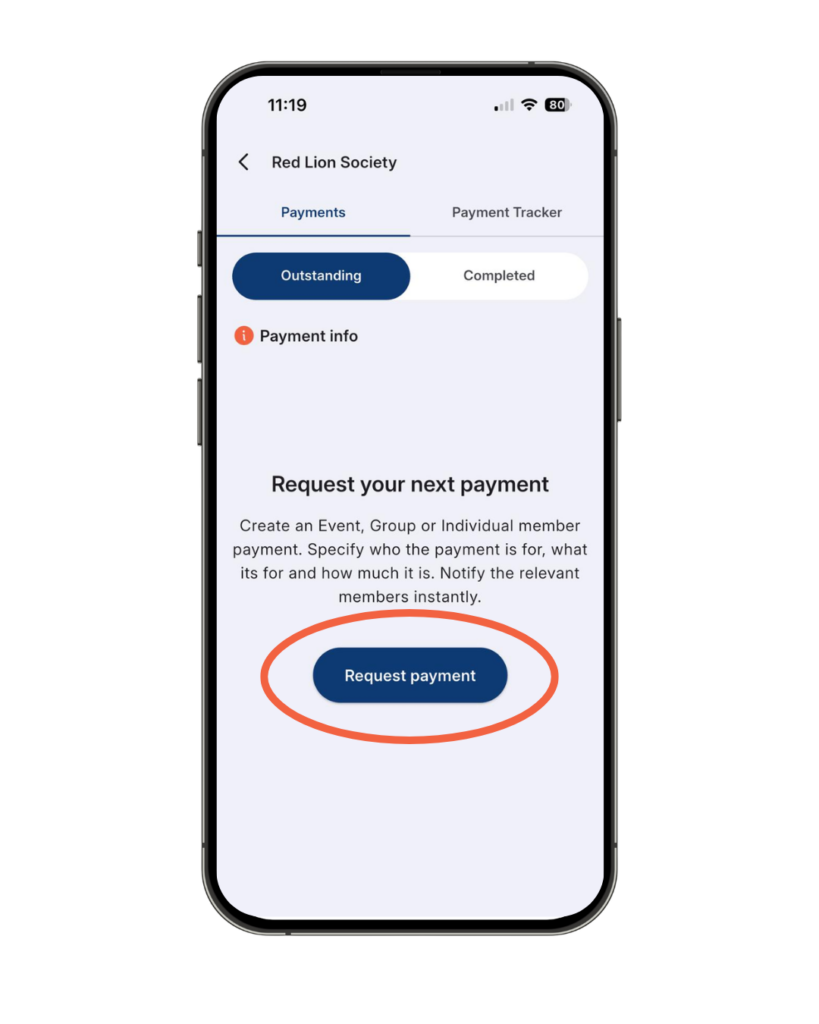
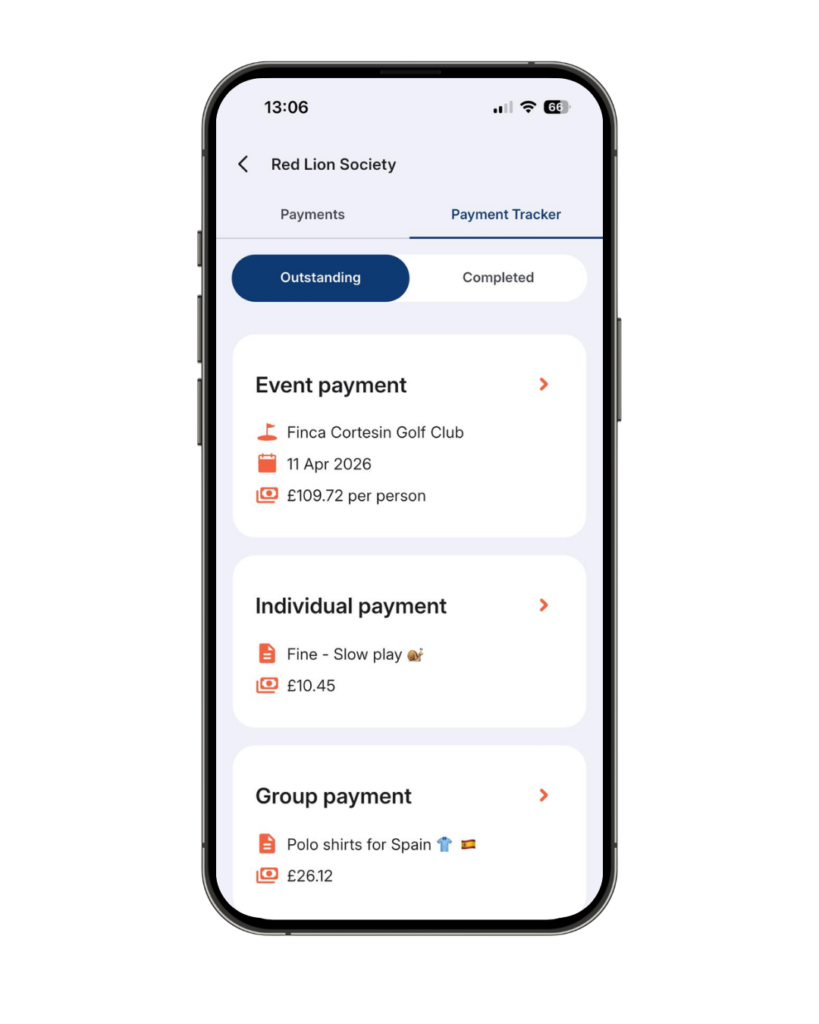
- This will take you to the payments screen, which filters by ‘Outstanding‘ and ‘Completed‘.
- Tap the ‘Request payment‘ button to create a new payment request for your group.
- You’ll then be presented with three options:
- Event payment – e.g. green fees, food, buggies, prizes.
- Group payment – e.g. annual group fees, annual trip away, group branded polo shirts.
- Individual payment – e.g. forfeits, fines, unpaid bar bills, side game losses.
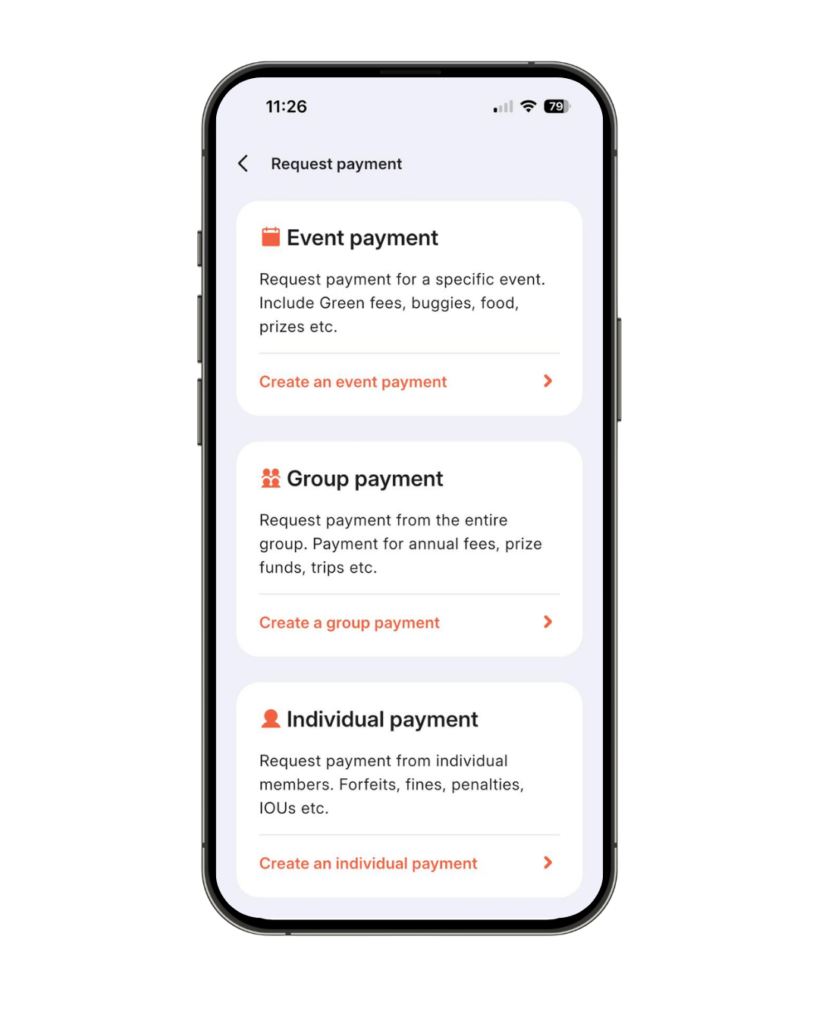
- Select which type of group payment you wish to request.
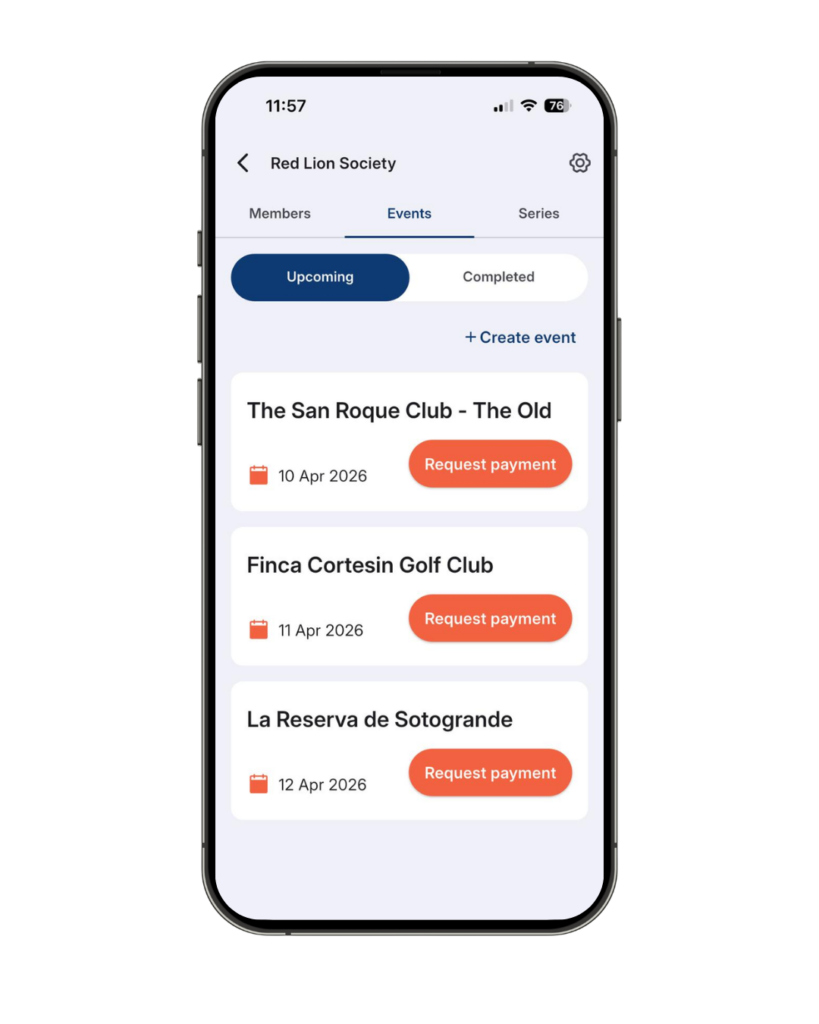
- If selecting an Event payment, it must be linked to an upcoming group event and will be sent to all group members.
- You’ll be taken to the ‘Upcoming events‘ screen. Tap the orange ‘Request payment‘ button on the relevant event banner.
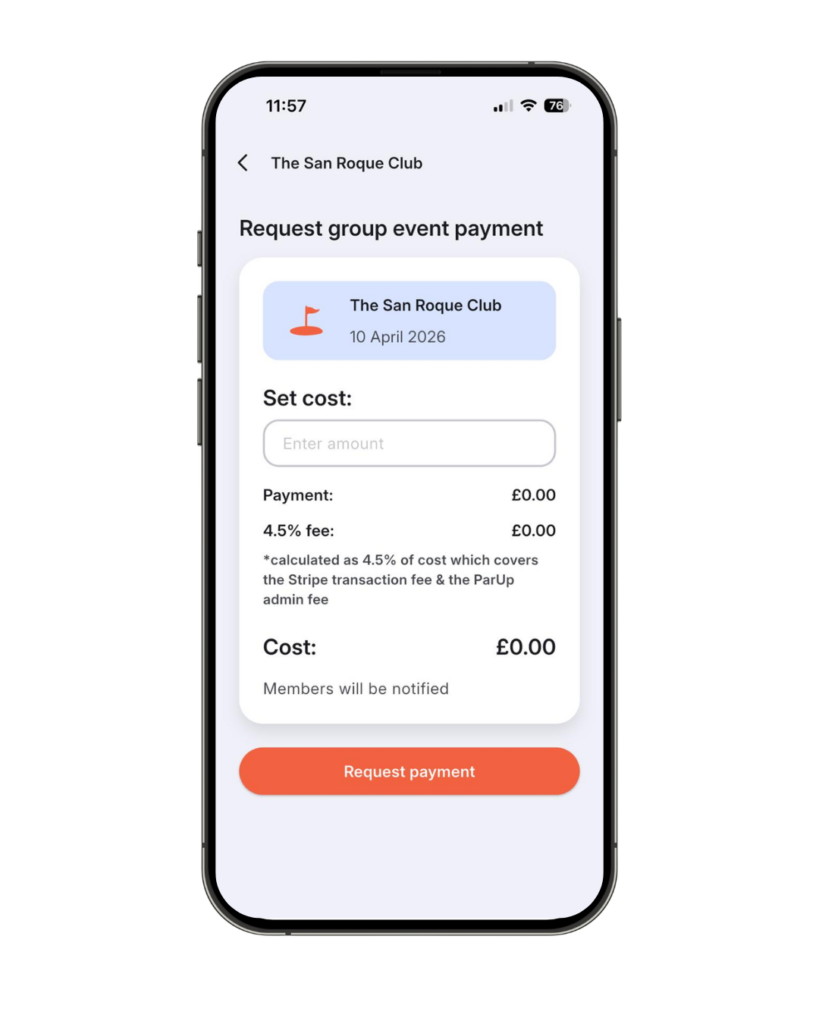
- Enter the event cost and tap the ‘Request payment’ button to confirm.
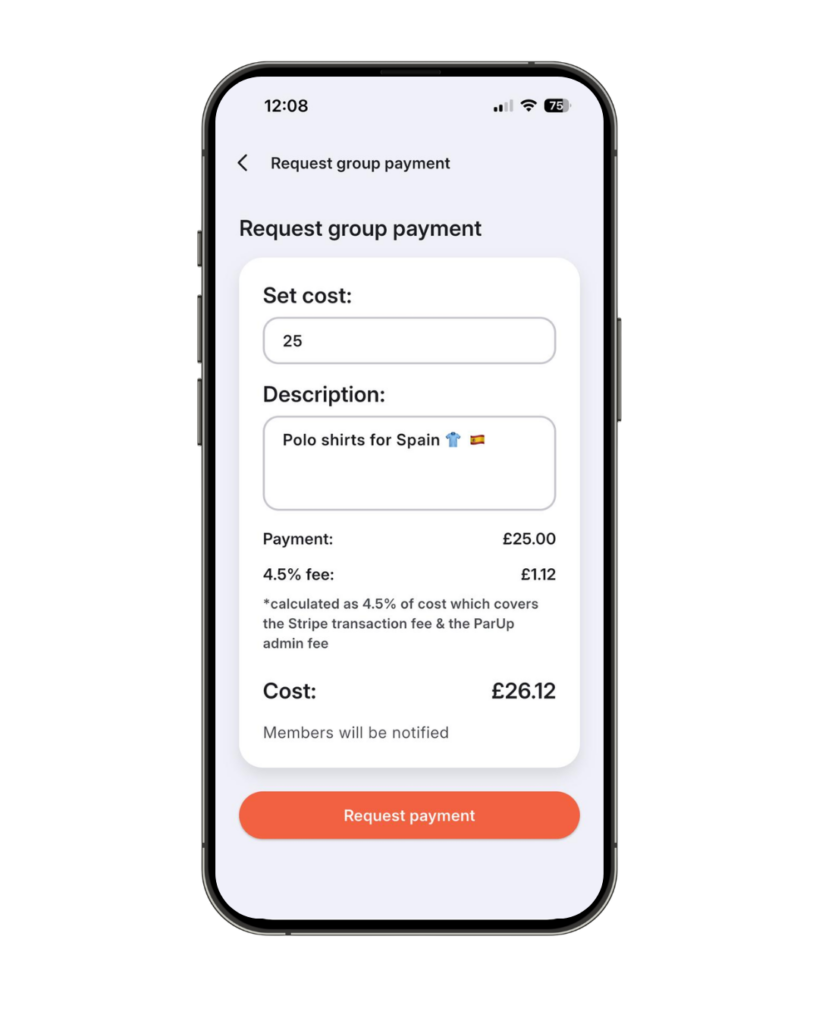
- If selecting a Group payment, simply enter the cost, add a description and tap the orange ‘Request payment’ button. This will be sent to all members in the group.
- If selecting an Individual payment, choose the players you want to request payment from by tapping the button next to their name, then tap the orange ‘Request payment’ button. This will only be sent to the selected members, whether that’s one or multiple.
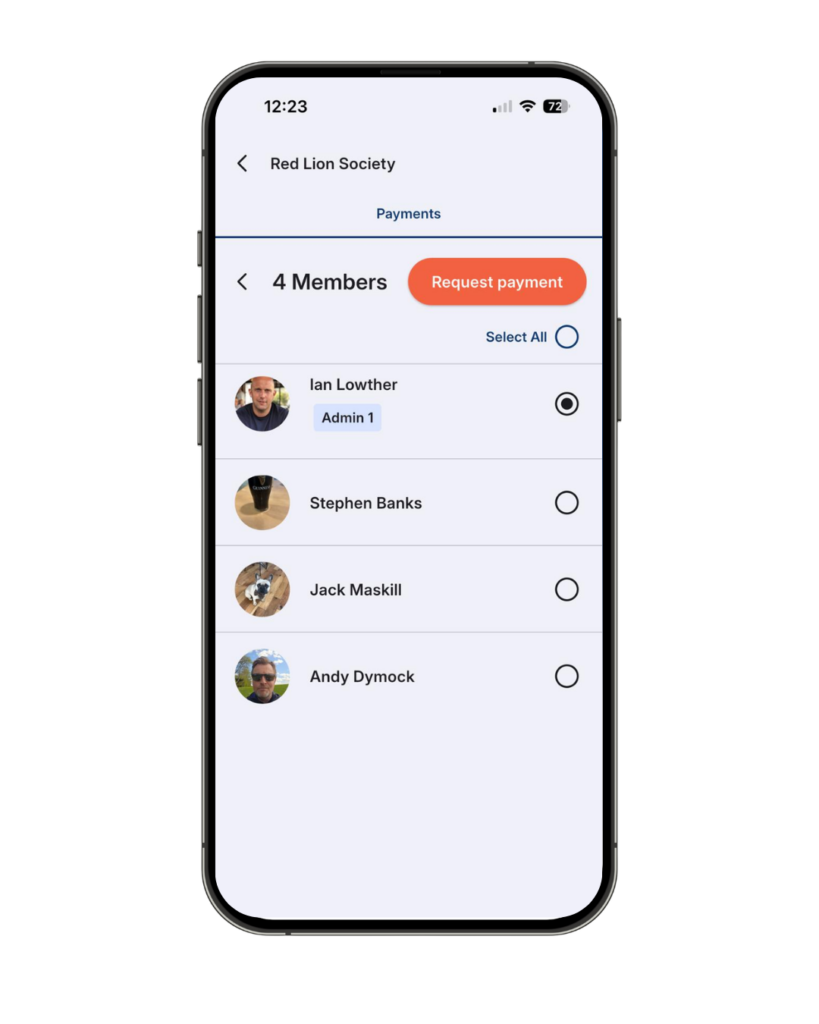

- When a payment request is created, it’s added to the relevant members’ outstanding payments and they’re notified via push notification (if enabled).
Tracking who has and hasn’t paid:
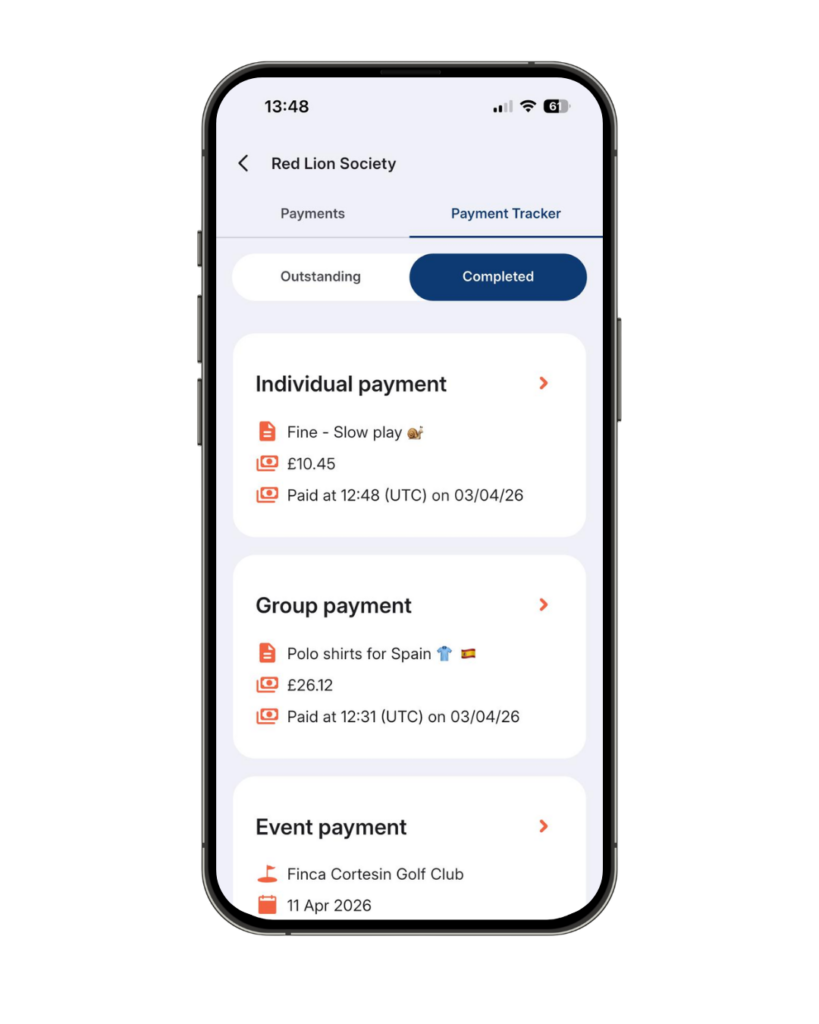
- Tap the ‘Payment tracker‘ tab at the top, once inside the ‘Payments‘ screens.
- Toggle between ‘Outstanding’ and ‘Completed’ payments by tapping the blue and white buttons.
- Tap into an outstanding payment to view the current status of the payment tracker.
- Any members paying in-app (via Stripe) will automatically be marked as paid, with a ParUp logo next to their name to indicate the payment method.
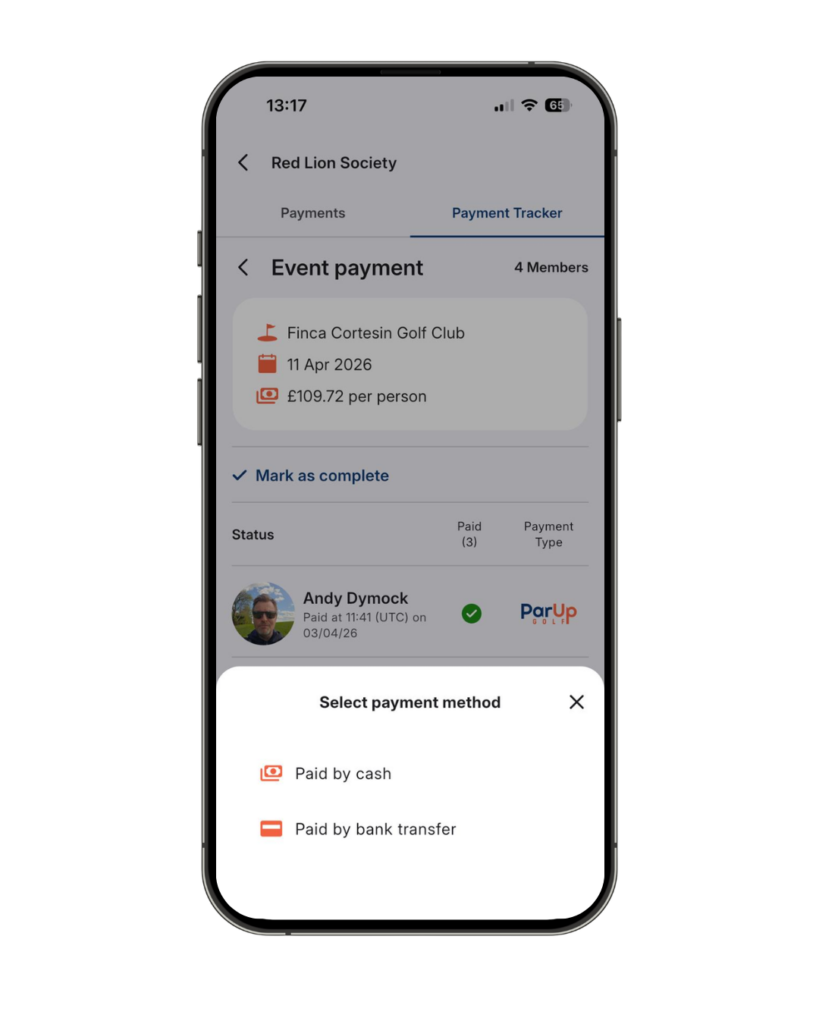
- Members not paying via the app can still be manually marked as paid, with the option to select their payment method (cash or bank transfer).
- Tap the ‘?’ icon next to a player’s name to manually mark them as paid or to remove the outstanding payment.
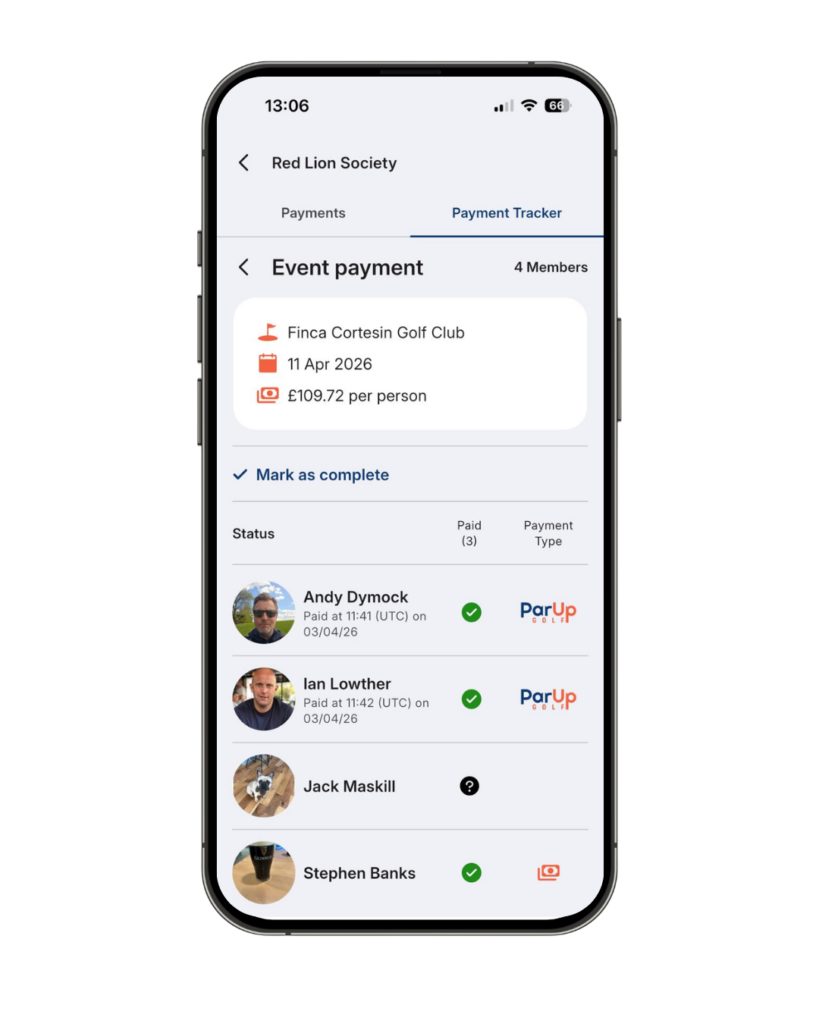
- The payment tracker is marked as complete once all payments are made. The organiser can also do this earlier by tapping the ‘Mark as complete’ text link.
- For event payments, the tracker will automatically be marked as complete (if not already) when the event is finalised.

- The new payment tracker also automatically updates the attendance tracker for all event-related payments.
- Once a payment is complete, it moves to the ‘Completed’ tab, building a history of all group payments over time.
Making payments:
It’s quick and simple for members to make payments using Stripe, all done in a few taps, taking just seconds.
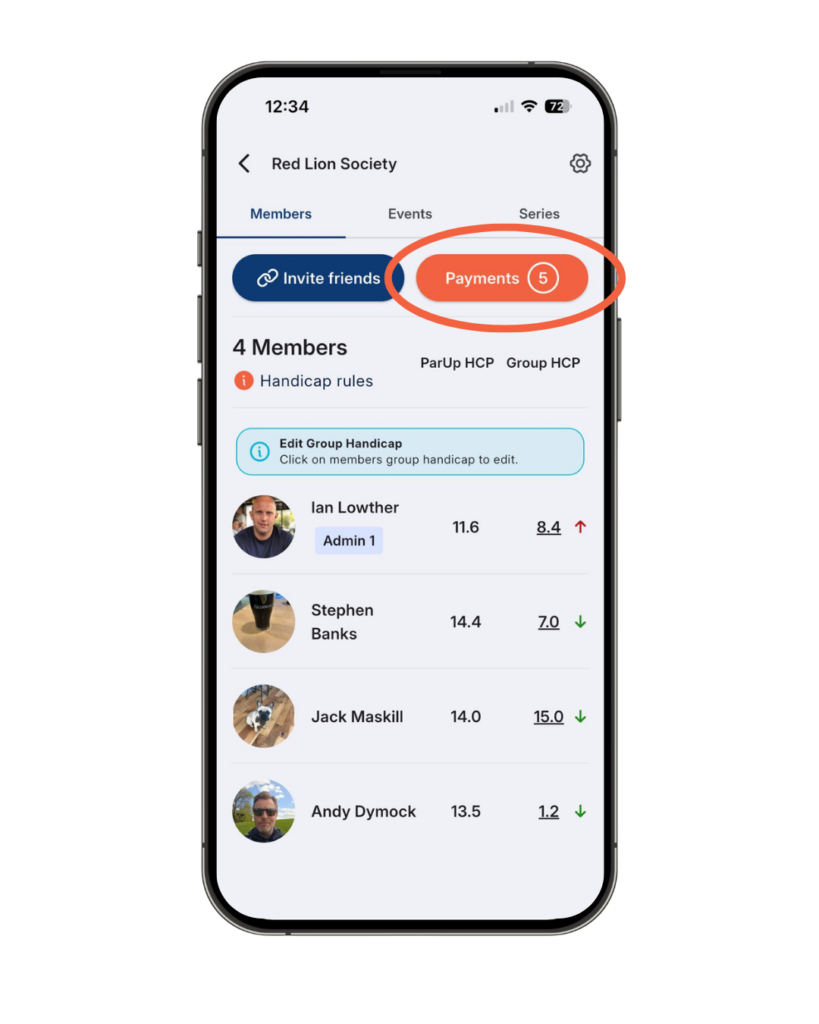
- When on the ‘Members’ tab in your group, the orange ‘Payments’ button will display a number if you have any outstanding payments.
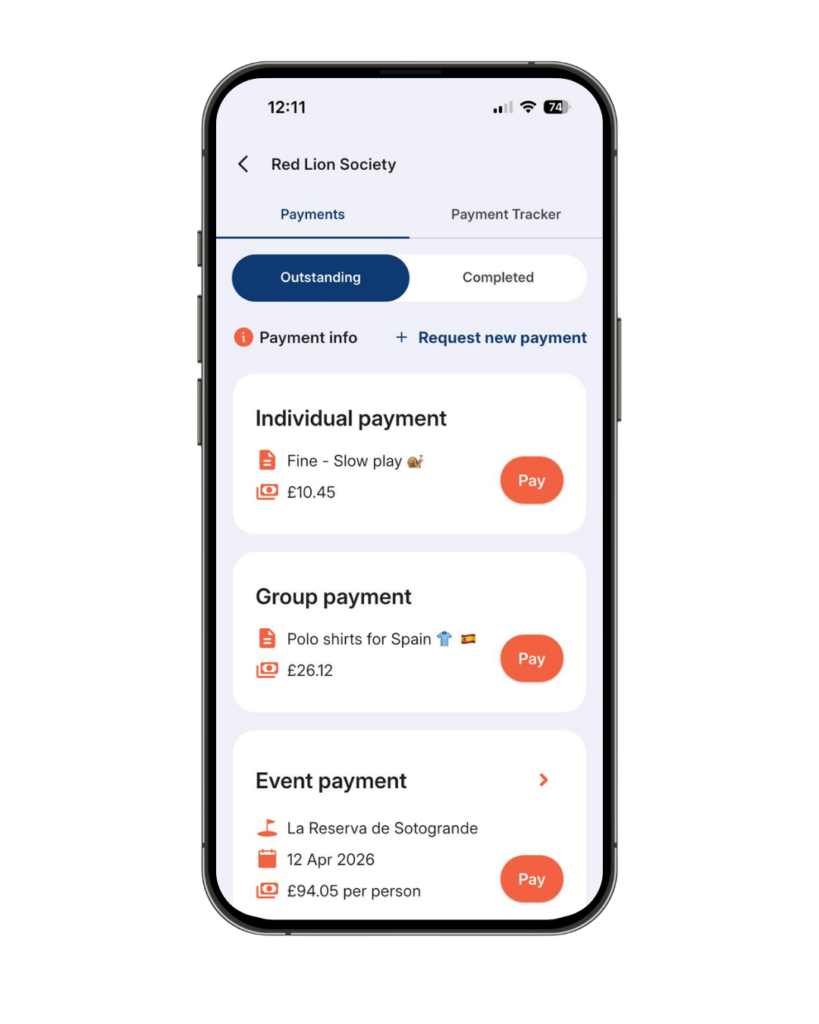
- Tap the orange ‘Payments’ button to be taken to the ‘Outstanding’ payments screen.
- You’ll see a list of payments waiting for you.
- Tap the orange ‘Pay’ button on the payment you want to make.
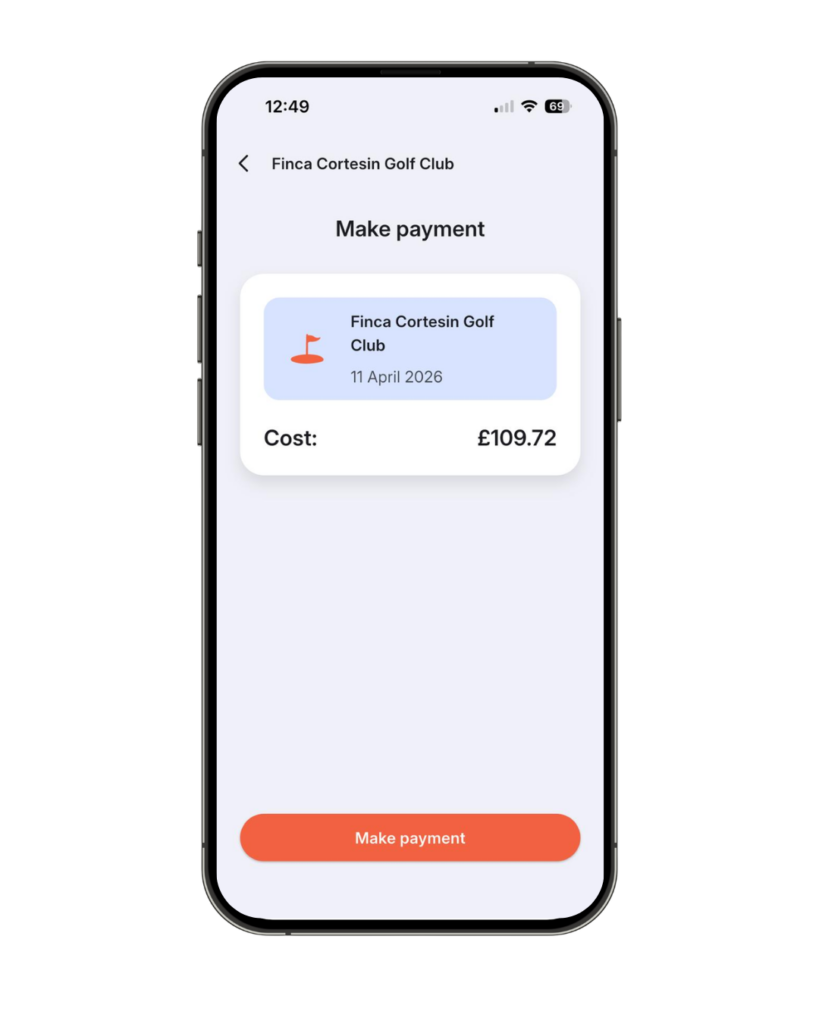
- On the next screen, tap the orange ‘Make payment’ button to continue.
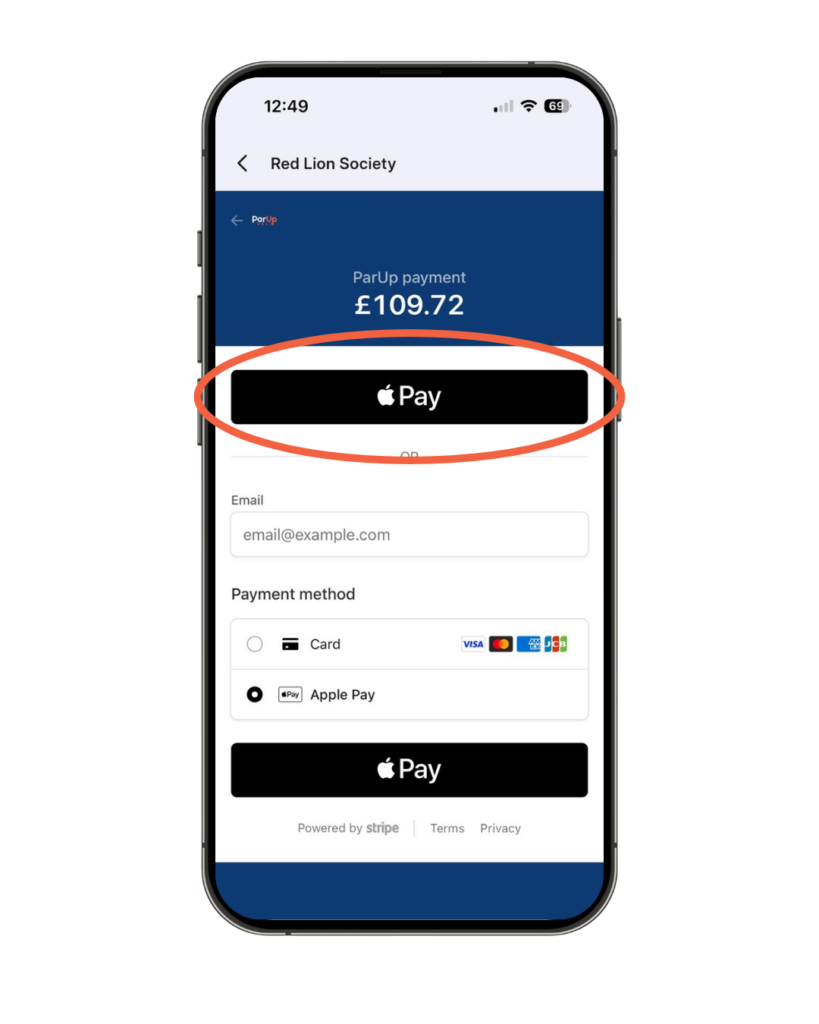
- You’ll then be taken to the final payment screen (powered by Stripe). Choose your preferred payment method and confirm.
- If using Apple Pay or Google Pay, you can pay in a single tap. If paying by card, save your details and future payments will also take just one tap.
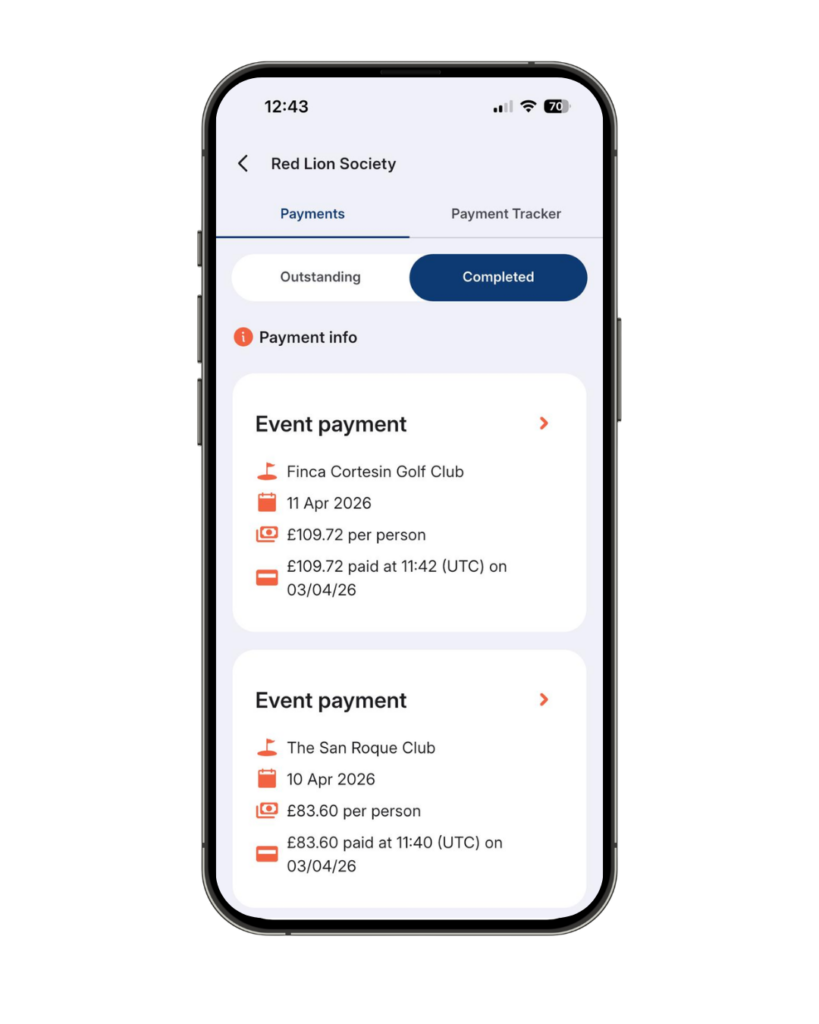
- Once Stripe confirms your payment, you’ll be taken to the ‘Completed payments’ screen.
- This is where a history of all your payments are saved, including the time and date stamp of when the transaction was processed.
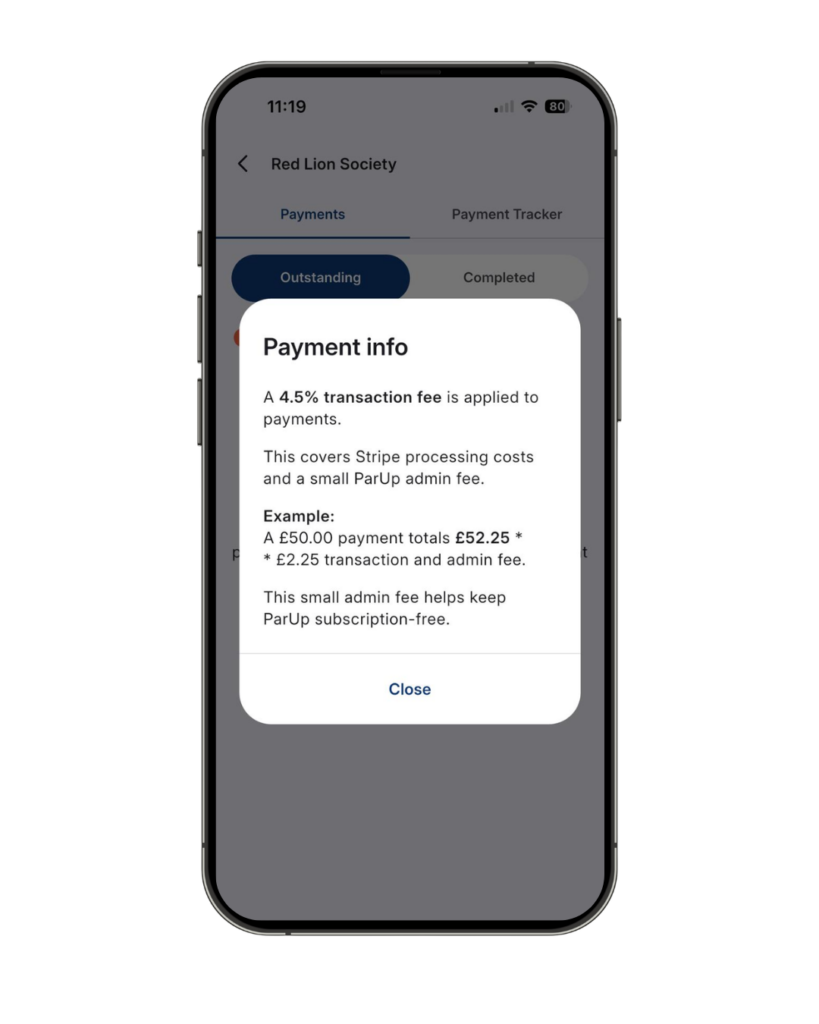
Please note that a small fee is applied to each payment. This is included when the group organiser creates the payment request, so members will always see the full amount (including fees) before making payment.
The fee is made up of the Stripe processing fee, which covers secure payment handling and a small ParUp admin fee, which helps us continue improving the product while keeping it free to use.
Fees by currency:
- 4.5% – GBP & EUR
- 5% – DKK, SEK & AUD
- 6% – USD, CAD, NZD & ZAR
If plans change, organisers can mark outstanding payments as complete to keep everything organised.
To ensure full transparency, further details on payment fees are available in the ‘Payment info’ pop-up, so they can be reviewed before making a payment.
Payout processing times:
When a payment is made through ParUp Golf, funds are securely processed and are typically paid out to event organisers 7 days after payment is received.
This standard processing period ensures payments are fully confirmed and helps maintain a secure and reliable experience for all users.
Editing and deleting payments:
Payments can’t be edited or deleted once created, ensuring a clear and transparent record for all group members. If plans change, organisers can mark outstanding payments as complete to keep everything organised and maintain a clean group hub.
For more information about the new Group Payments feature, you can read our ParUp Payments Explained blog post. You can also visit Support & FAQs and navigate to the relevant section.
Check out our main ‘How to’ guide to explore more features and get the most out of the ParUp Golf app.
About the ParUp Golf app
ParUp Golf is the ultimate free golf app for society golfing. Find and join a local golf society or golf group near you. Alternatively, you can also just use the platform to host and facilitate your existing golf society events, whilst enjoying a range of features including a digital golf scorecard and live leaderboards. Check out the full range of features on the ParUp Golf app by clicking here. The latest version of the app can be downloaded on both iPhone and Android mobile devices.
We have lots of new features coming very soon to the app, but are also constantly looking to improve the current offering, so if you have any feedback or suggestions, we’d love to hear from you – please email us at info@parup.golf