
 Go to Blog
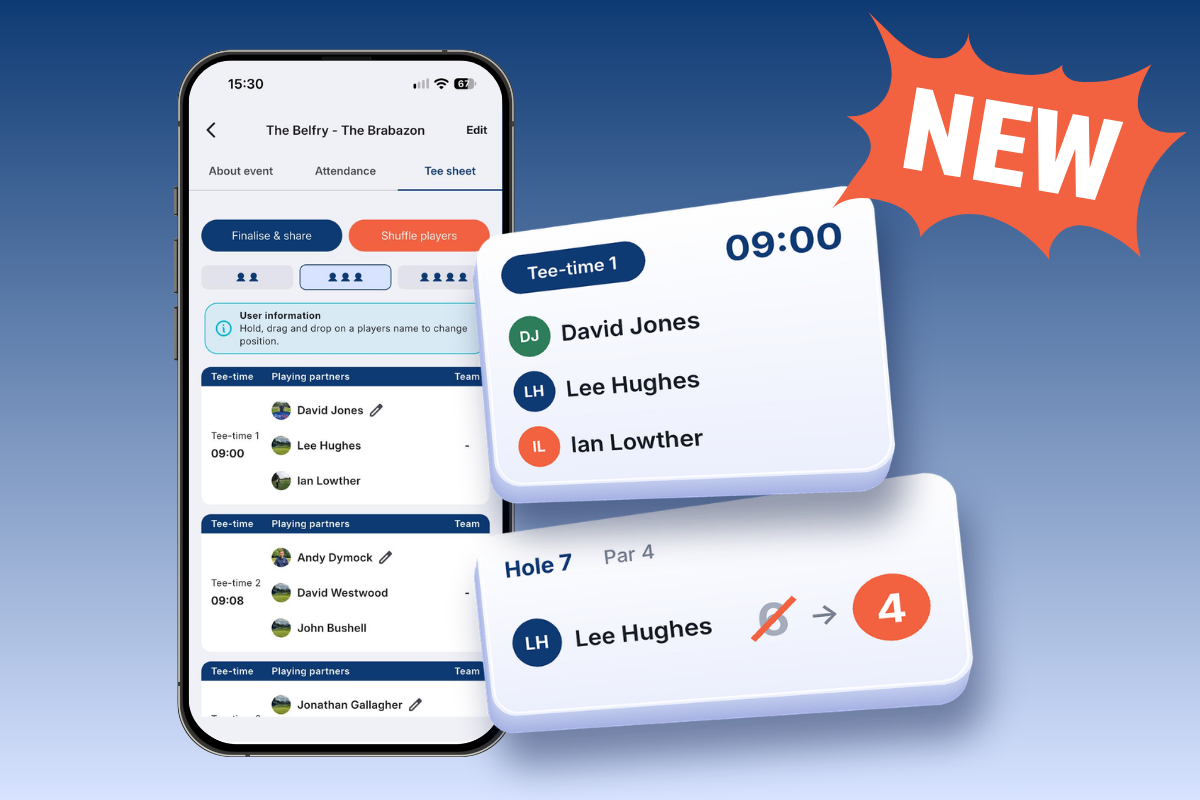
Easier to organise. Easier to fix. More to play for!
You asked. A lot. So here they are…
Tee sheets and edit scores have been two of the most requested features from Group Admins and Members over recent months, and both are now live in the app. We’ve also added a new Side Games tracker next to the leaderboard, so everyone can see who’s winning the prizes as you play (and who’s been left holding the Animals).
Thanks to everyone who keeps sending us ideas. Your feedback decides what we build next.
Here’s a closer look at what’s new…
Tee sheets
Find out who’s playing with who and when they’re off!
Ever spent hours sorting out who’s playing with who, juggling tee times, keeping certain players apart (or making sure others stay together!) and answering endless questions about who’s off first? Well, we’ve got something for you.
Tee sheets take a whole lot of organising off the Admin’s hands, while making sure everyone knows exactly where they need to be and when.
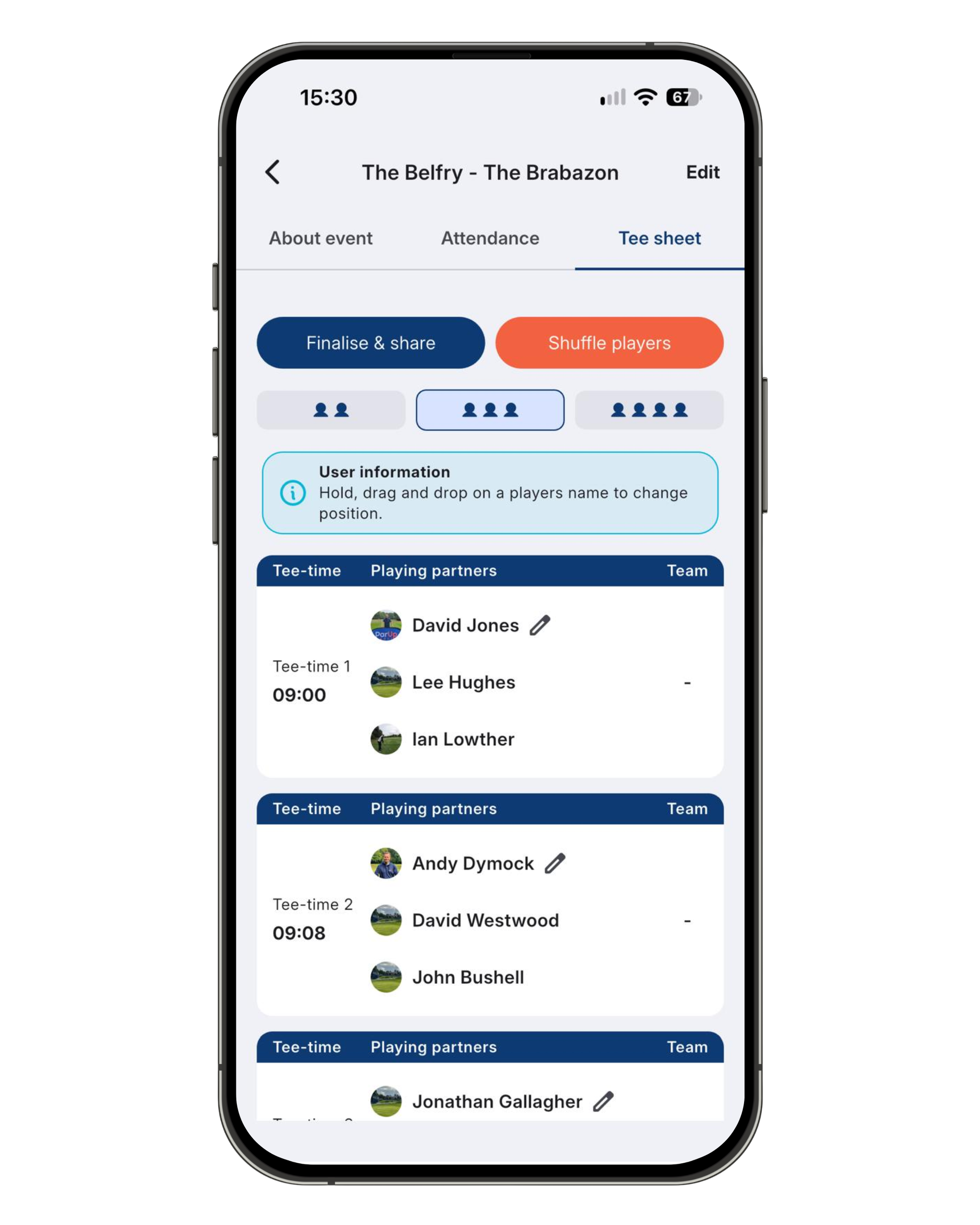
Sort your groups. Sort your teams. Sort your tee times. Job done!
Once Members confirm they’re playing, their names automatically fill the spots and teams on the tee sheet. Admins can also confirm attendance on behalf of Members to speed things up.
Then it’s time to sort the playing groups and tee times. You’ve got two options:
- Drag and drop: you’re in control. Keep certain players together, others apart, or give someone a later tee time. Just drag and drop players between groups until you’re happy.
- Shuffle: let ParUp decide. Can’t be bothered playing matchmaker? Hit Shuffle and ParUp randomly sorts the playing groups and order of play. A completely fair way to decide who gets the early tee time!
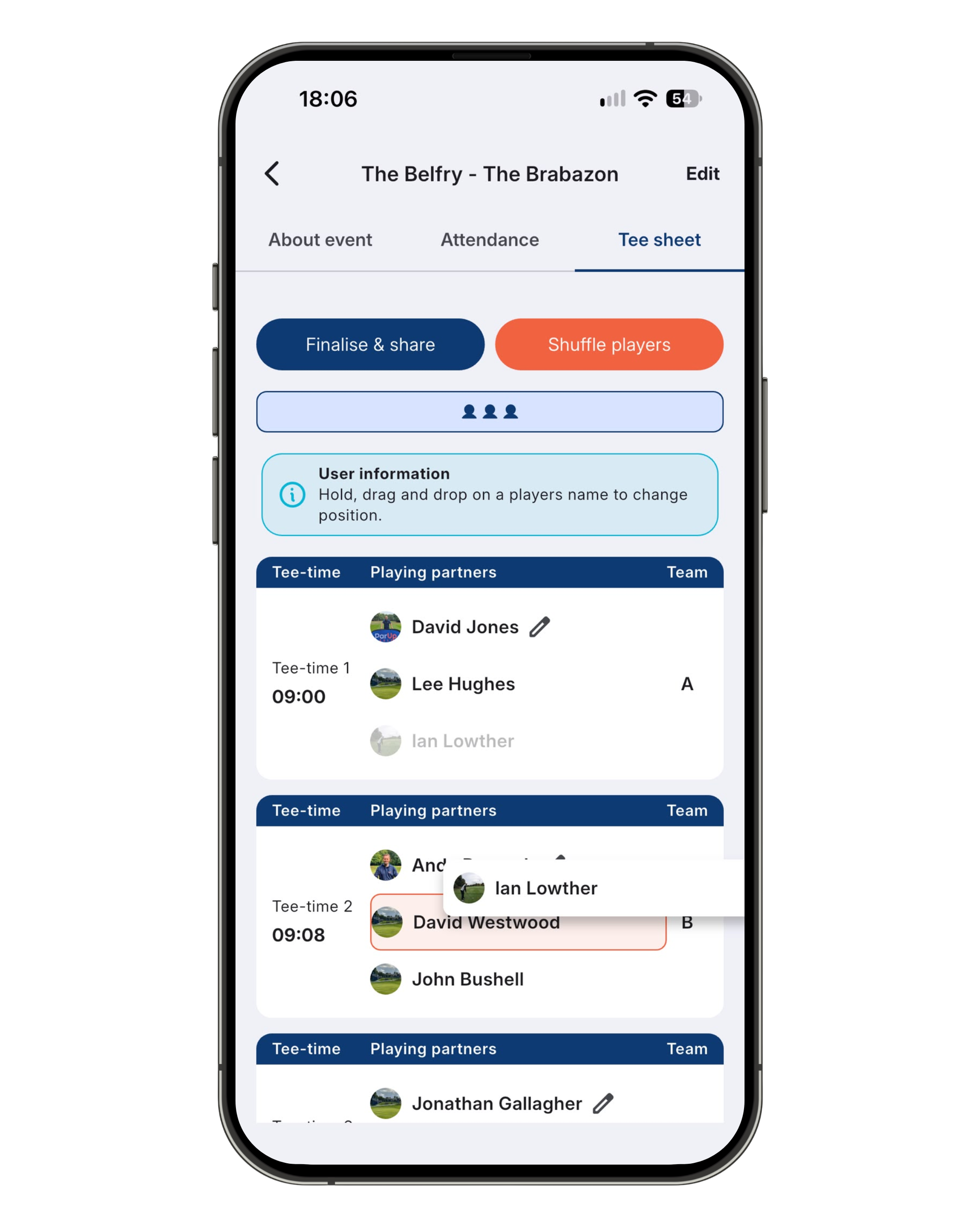
Happy with the line-up? Share it!
Tap Finalise & share and the tee sheet is available for all Members to view, with a push notification to let everyone know it’s ready. Everyone can see who they’re playing with, which group they’re in, what time they’re off and who’s out before and after them.
No more chasing people with screenshots or answering the same questions in the WhatsApp group. And if someone needs a change, Admins can jump back in, update it and share it again.
Bonus: your scorecard’s already set up
When a player loads their scorecard (as the marker, ready to enter scores), the rest of their playing group is added automatically. No searching for names on the first tee. Just load up and get going.
Edit scores
Mistakes happen. Now you can fix them!
Wrong button, wrong player, or your marker put you down for a 6 instead of a 4. It happens, and until now a submitted scorecard was stuck that way.
Now Admins can fix it:
- Go to the event details page and tap Edit incorrect scores button.
- Pick the playing group you need to fix.
- Choose the hole, tap Edit, change the score and hit Save once all changes have been made.
It’s the same scoring screen everyone’s used to, so there’s nothing new to learn. Admins can fix anyone’s card in the group, and the leaderboard, side games and Animals all update straight away.
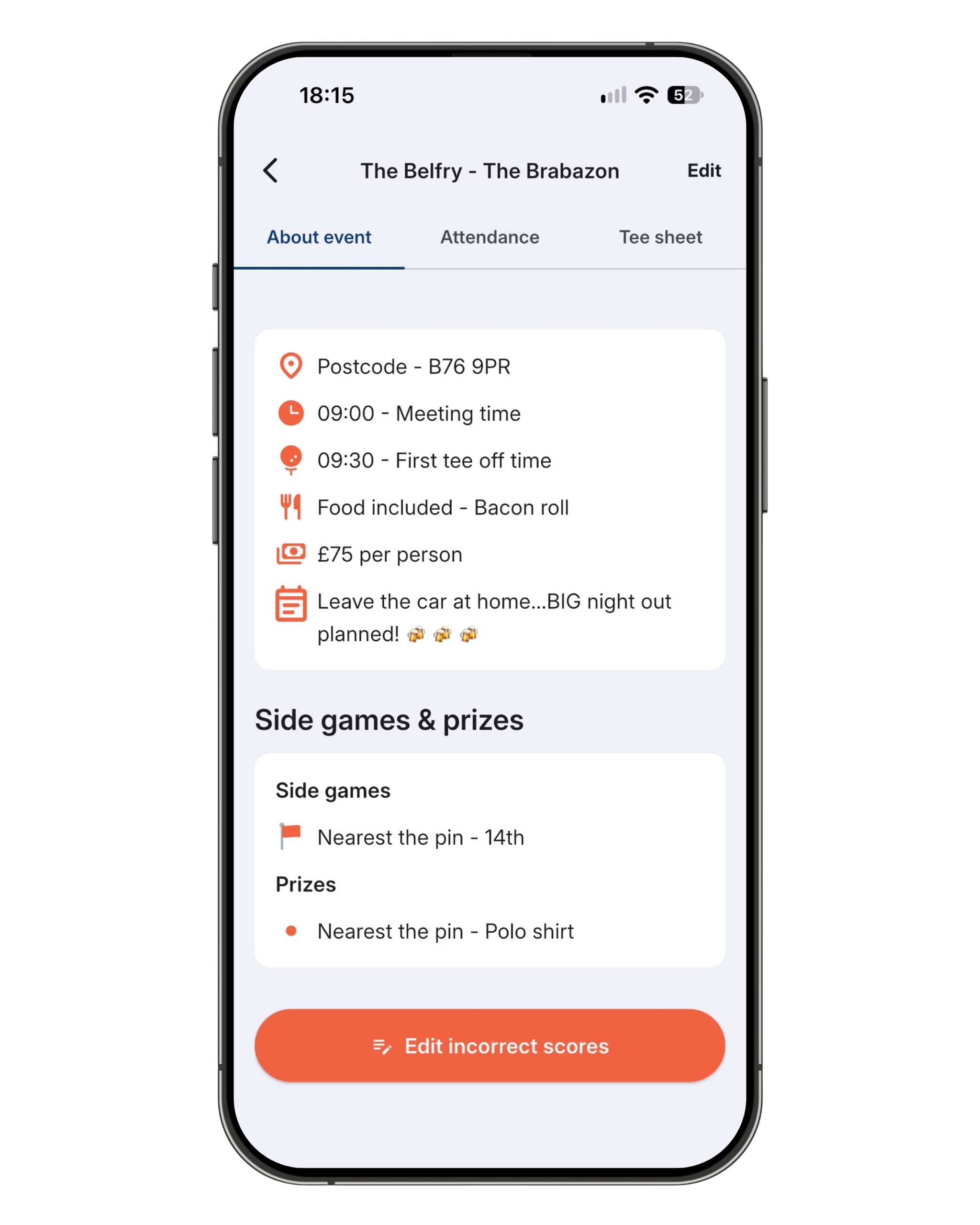
A window to get it right
You can edit scores any time between a card being submitted and the event being finalised. So once everyone’s in, there’s a window to check the cards, sort any mistakes in the clubhouse and make sure the right person gets the bragging rights.
Just remember to check everything before you finalise the event, as scores can’t be edited after that.
Side games tracker
Who’s winning? Who’s having a shocker?
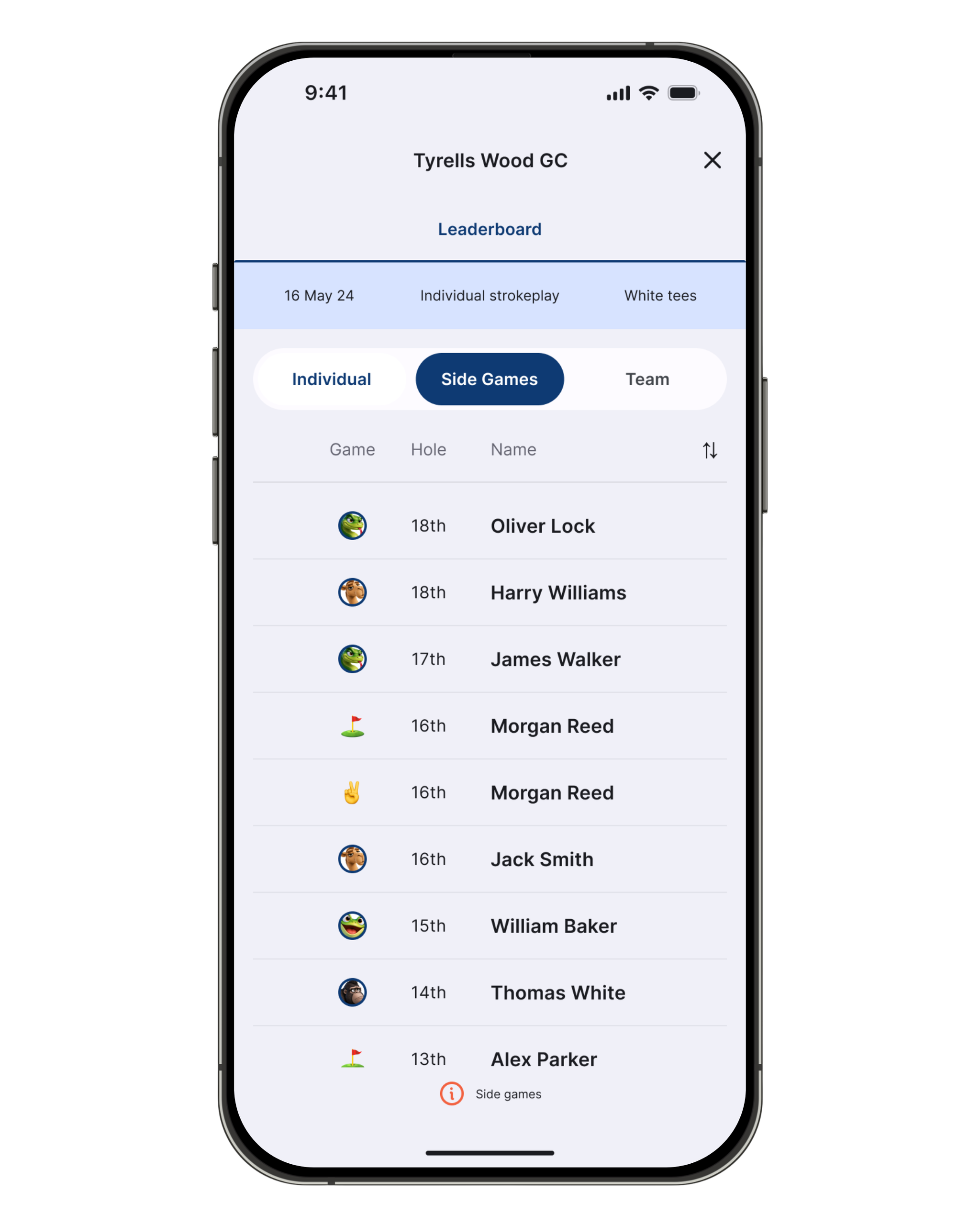
The new Side Games tab sits next to the leaderboard and works like a live leaderboard for your side games. Every time something happens, it jumps to the top of the list.
Say you hit it closest on the 3rd. The tracker shows the Nearest the Pin icon, hole 3 and your name at the top. If someone gets closer, their name replaces yours and moves back to the top. Lovely for them. Less so for you.
It covers Nearest the Pin, Longest Drive, Nearest in 2, Nearest in 3 and Twos, so everyone can see exactly who’s won what, and on which hole, as it happens.
And if you’re playing the Animals, it also shows who’s stuck with the Snake, Camel, Gorilla or Frog. No hiding place anymore!
Frozen leaderboard? The side games keep going
If your Admin freezes the leaderboard for the last four holes, only the scores are hidden. The Side Games tab keeps updating, so the drama runs right to the 18th.
New to the Animals? Find out how it works here.
About the ParUp Golf app
ParUp Golf is the ultimate free golf app for society golfing. Find and join a local golf society or golf group near you. Alternatively, you can also just use the platform to host and facilitate your existing golf society events, whilst enjoying a range of features including a digital golf scorecard and live leaderboards. Check out the full range of features on the ParUp Golf app by clicking here. The latest version of the app can be downloaded on both iPhone and Android mobile devices.
We have lots of new features coming very soon to the app, but are also constantly looking to improve the current offering, so if you have any feedback or suggestions, we’d love to hear from you – please email us at info@parup.golf